# HorizontalPicker
**Repository Path**: docname/HorizontalPicker
## Basic Information
- **Project Name**: HorizontalPicker
- **Description**: No description available
- **Primary Language**: Unknown
- **License**: Apache-2.0
- **Default Branch**: master
- **Homepage**: None
- **GVP Project**: No
## Statistics
- **Stars**: 0
- **Forks**: 0
- **Created**: 2025-11-13
- **Last Updated**: 2025-11-13
## Categories & Tags
**Categories**: Uncategorized
**Tags**: None
## README
# HorizontalPicker
A simple, customizable and easy to use picker where centre view is scaled up
[](http://www.apache.org/licenses/LICENSE-2.0)
[](https://android-arsenal.com/details/1/5849)
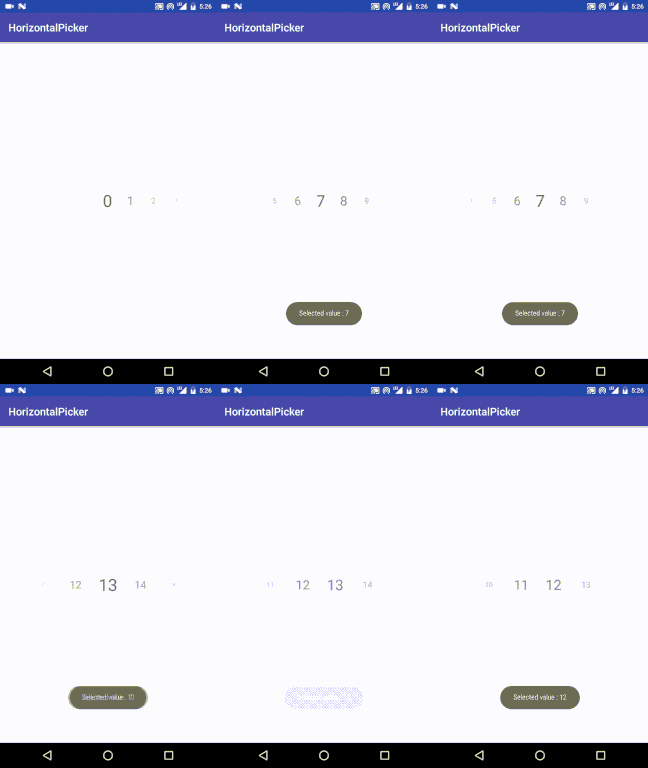
## QuickStart ##
### Include the Gradle dependency ###
```java
dependencies {
compile 'com.github.adityagohad:HorizontalPicker:1.0.1'
}
```
Don't forget to add following to build.gradle(Project:{your_project_name>})
```
allprojects {
repositories {
jcenter()
maven { url "https://jitpack.io" }
}
}
```
## How to use ##
Your picker will be recyclerView and this lib is just a custom layout manager
to initialize the PickerLayoutManager and set the properties
```java
PickerLayoutManager pickerLayoutManager = new PickerLayoutManager(this, PickerLayoutManager.HORIZONTAL, false);
pickerLayoutManager.setChangeAlpha(true);
pickerLayoutManager.setScaleDownBy(0.99f);
pickerLayoutManager.setScaleDownDistance(0.8f);
```
To make it snap to centre use ```SnapHelper```
```java
SnapHelper snapHelper = new LinearSnapHelper();
snapHelper.attachToRecyclerView(recyclerView);
```
set layout manager of your recyclerVew
```java
recyclerView.setLayoutManager(pickerLayoutManager);
```
To get selected view use ```onScrollStopListener```
```java
pickerLayoutManager.setOnScrollStopListener(new PickerLayoutManager.onScrollStopListener() {
@Override
public void selectedView(View view) {
//Do your thing
}
});
}
```
## Don't forget this ##
To its core it is a recycler view with custom layout manager so if you forget to add ``` clipToPadding="false" ``` you will never be able to select first and last few elemets(values/views).
So always add paddingLeft and paddingRight like shown below.
```
```