# ELK
**Repository Path**: 2121/ELK
## Basic Information
- **Project Name**: ELK
- **Description**: 搭建ELK日志分析平台。
- **Primary Language**: Unknown
- **License**: Not specified
- **Default Branch**: master
- **Homepage**: None
- **GVP Project**: No
## Statistics
- **Stars**: 0
- **Forks**: 0
- **Created**: 2025-12-24
- **Last Updated**: 2025-12-24
## Categories & Tags
**Categories**: Uncategorized
**Tags**: None
## README
# ELK
```
环境:
Vagrant 1.8.1
CentOS 7.2 192.168.0.228
Elasticsearch 2.3.2
logstash 2.2.4
Kibana 4.4.2
filebeat 1.2.2
topbeat 1.2.2
```
搭建ELK日志分析平台。此处为其核心配置文件。具体搭建过程请参考[ELK环境搭建.docx](https://raw.githubusercontent.com/ameizi/ELK/master/ELK环境搭建.docx "ELK环境搭建.docx文档")文档
# Screenshots
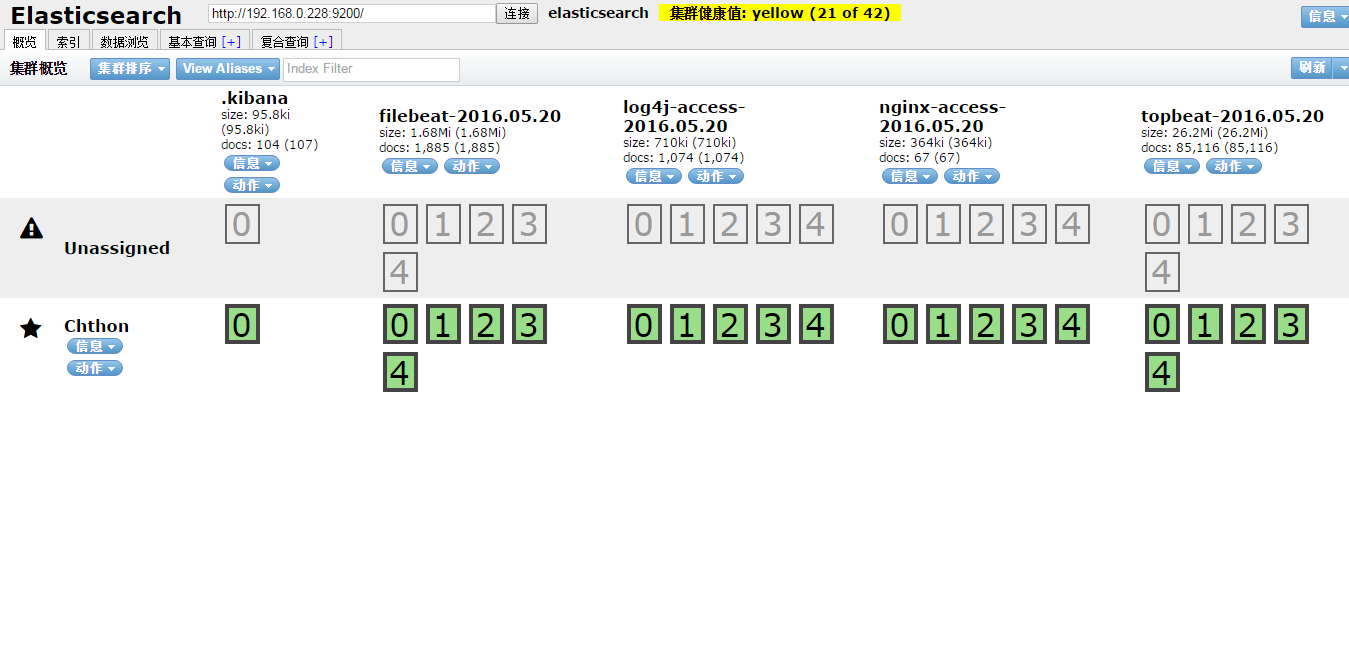
elasticsearch索引列表
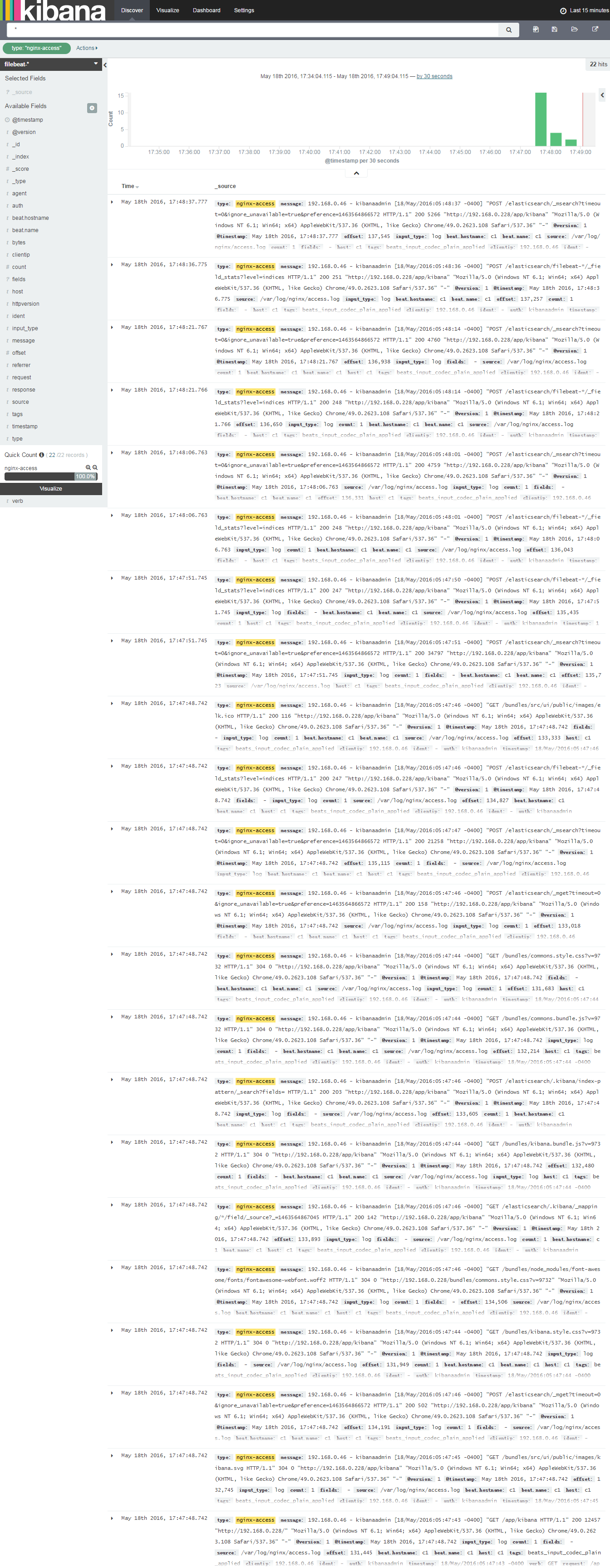
Nginx日志分析
Syslog系统日志分析

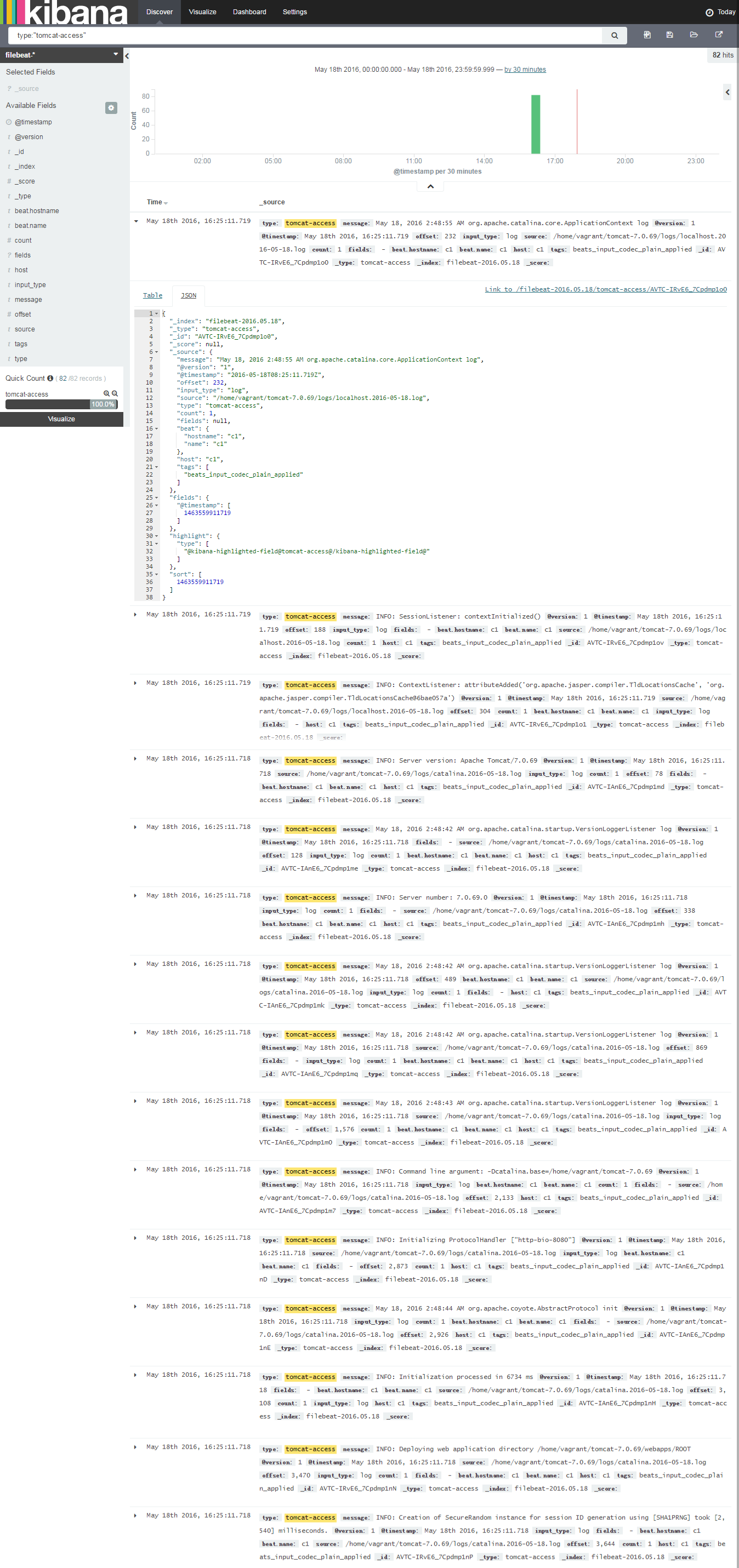
Tomcat日志分析
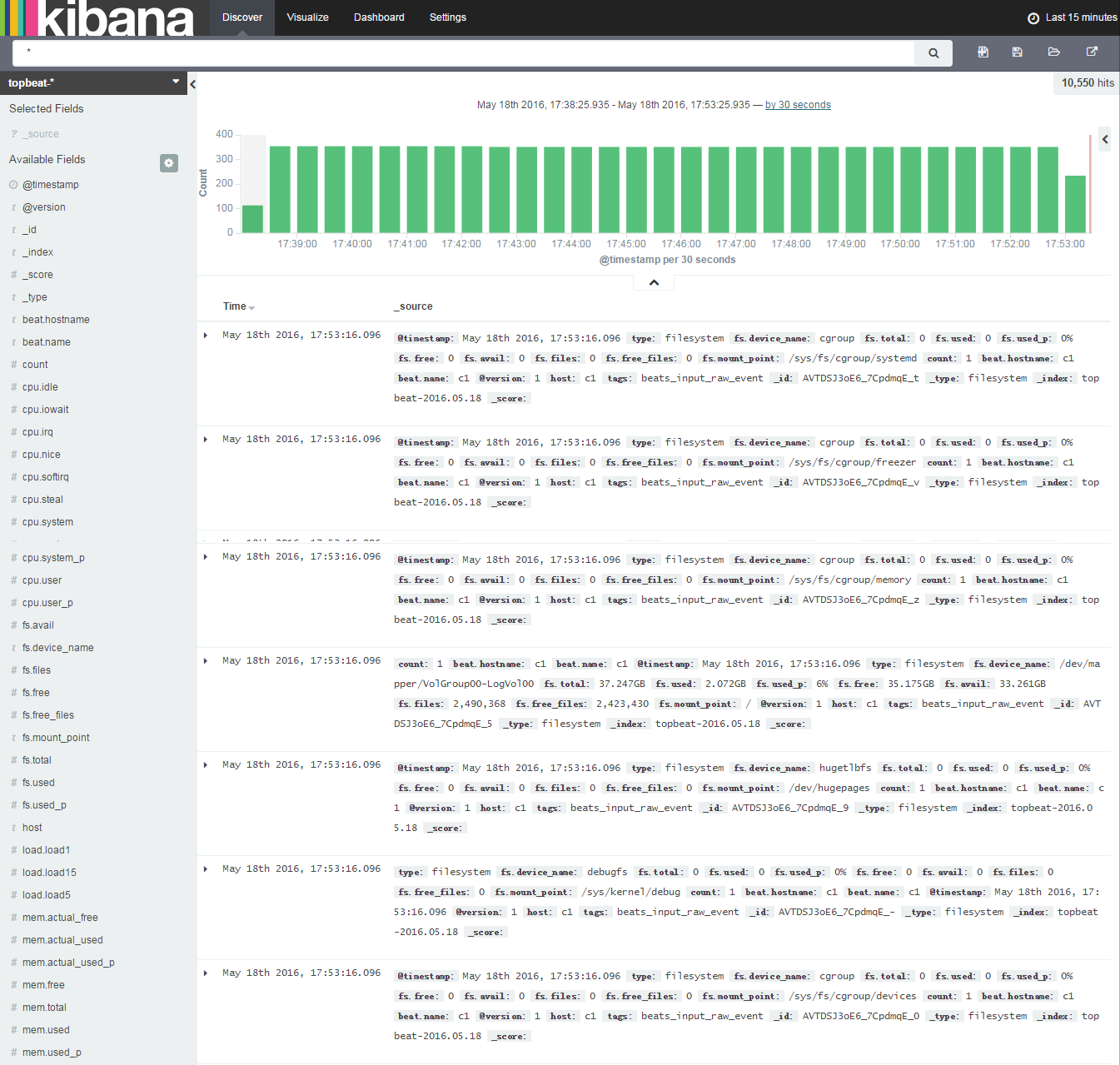
系统日志分析
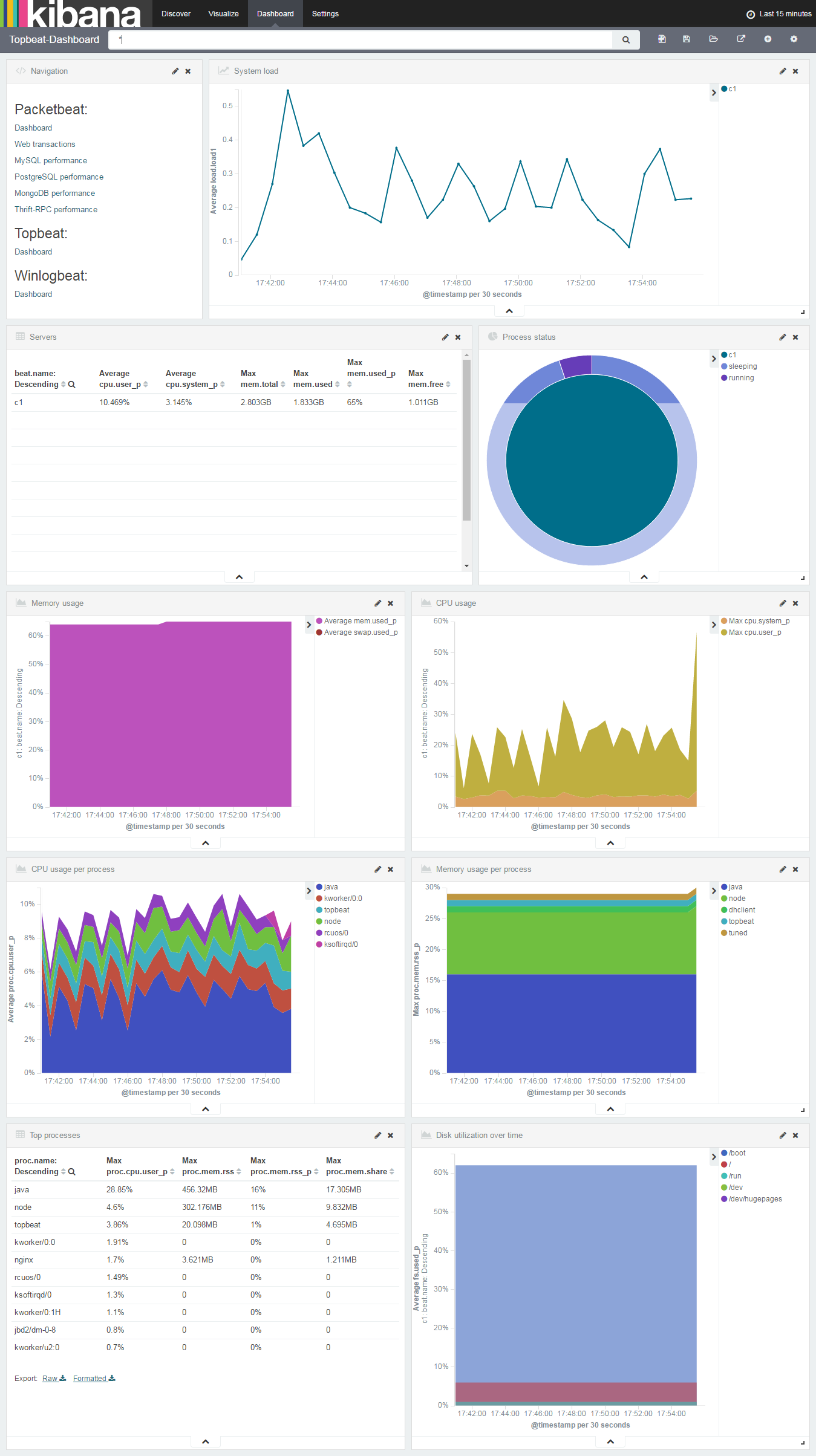
Topbeat Dashboard
# logstash命令
logstash命令帮助
```bash
$ /opt/logstash/bin/logstash -h
Usage:
/bin/logstash agent [OPTIONS]
Options:
-f, --config CONFIG_PATH Load the logstash config from a specific file
or directory. If a directory is given, all
files in that directory will be concatenated
in lexicographical order and then parsed as a
single config file. You can also specify
wildcards (globs) and any matched files will
be loaded in the order described above.
-e CONFIG_STRING Use the given string as the configuration
data. Same syntax as the config file. If no
input is specified, then the following is
used as the default input:
"input { stdin { type => stdin } }"
and if no output is specified, then the
following is used as the default output:
"output { stdout { codec => rubydebug } }"
If you wish to use both defaults, please use
the empty string for the '-e' flag.
(default: "")
-w, --pipeline-workers COUNT Sets the number of pipeline workers to run.
(default: 1)
-b, --pipeline-batch-size SIZE Size of batches the pipeline is to work in.
(default: 125)
-u, --pipeline-batch-delay DELAY_IN_MS When creating pipeline batches, how long to wait while polling
for the next event.
(default: 5)
--filterworkers COUNT DEPRECATED. Now an alias for --pipeline-workers and -w
-l, --log FILE Write logstash internal logs to the given
file. Without this flag, logstash will emit
logs to standard output.
-v Increase verbosity of logstash internal logs.
Specifying once will show 'informational'
logs. Specifying twice will show 'debug'
logs. This flag is deprecated. You should use
--verbose or --debug instead.
--quiet Quieter logstash logging. This causes only
errors to be emitted.
--verbose More verbose logging. This causes 'info'
level logs to be emitted.
--debug Most verbose logging. This causes 'debug'
level logs to be emitted.
--debug-config translation missing: en.logstash.runner.flag.debug_config (default: false)
-V, --version Emit the version of logstash and its friends,
then exit.
-p, --pluginpath PATH A path of where to find plugins. This flag
can be given multiple times to include
multiple paths. Plugins are expected to be
in a specific directory hierarchy:
'PATH/logstash/TYPE/NAME.rb' where TYPE is
'inputs' 'filters', 'outputs' or 'codecs'
and NAME is the name of the plugin.
-t, --configtest Check configuration for valid syntax and then exit.
--[no-]allow-unsafe-shutdown Force logstash to exit during shutdown even
if there are still inflight events in memory.
By default, logstash will refuse to quit until all
received events have been pushed to the outputs.
(default: false)
-h, --help print help
```
检查指定logstash配置文件
```bash
$ /opt/logstash/bin/logstash agent -f /etc/logstash/conf.d/14-log4j_to_es.conf -t
```
收集指定配置文件日志
```bash
$ /opt/logstash/bin/logstash agent -f /etc/logstash/conf.d/14-log4j_to_es.conf
```
查看logstash服务状态
```
$ sudo service logstash status
logstash is running
```
```
$ sudo service logstash start|stop|restart
```
# kibana
修改/opt/kibana/config
```
server.port: 5601
server.host: "192.168.0.228"
elasticsearch.url: "http://192.168.0.228:9200"
kibana.index: ".kibana"
```
# ELK使用场景配置示例
## syslog日志
logstash filter配置
```
filter {
if [type] == "syslog" {
grok {
match => { "message" => "%{SYSLOGTIMESTAMP:syslog_timestamp} %{SYSLOGHOST:syslog_hostname} %{DATA:syslog_program}(?:\[%{POSINT:syslog_pid}\])?: %{GREEDYDATA:syslog_message}" }
add_field => [ "received_at", "%{@timestamp}" ]
add_field => [ "received_from", "%{host}" ]
}
syslog_pri { }
date {
match => [ "syslog_timestamp", "MMM d HH:mm:ss", "MMM dd HH:mm:ss" ]
}
}
}
```
## java日志收集
http://kibana.logstash.es/content/logstash/examples/java.html
* log4j SocketAppender
logstash配置
```
input {
# log4j SocketAppender
log4j {
mode => "server"
host => "192.168.0.228"
port => 4560
type => "log4j"
}
}
filter {
}
output {
if [type] == "log4j" {
elasticsearch {
action => "index"
hosts => "192.168.0.228:9200"
index => "log4j-access-%{+yyyy.MM.dd}"
}
redis {
host => "192.168.0.46"
port => 6379
data_type => "list"
key => "logstash:log4j"
}
}
}
```
log4j.properties
```
log4j.rootLogger=logstash
###SocketAppender###
log4j.appender.logstash=org.apache.log4j.net.SocketAppender
# logstash中log4j input中的端口号
log4j.appender.logstash.Port=4560
# logstash所在机器IP
log4j.appender.logstash.RemoteHost=192.168.0.228
log4j.appender.logstash.ReconnectionDelay=60000
log4j.appender.logstash.LocationInfo=true
log4j.appender.logstash.Application=elk-log4j-simple
```
* log4j-jsonevent-layout
logstash配置
```
input {
# log4j-jsonevent-layout
file {
codec => json
path => "/home/vagrant/tomcat-7.0.69/bin/target/*.log"
type => "log4j"
start_position => "beginning"
sincedb_path => "/dev/null"
}
}
filter {
}
output {
if [type] == "log4j" {
elasticsearch {
action => "index"
hosts => "192.168.0.228:9200"
index => "log4j-access-%{+yyyy.MM.dd}"
}
redis {
host => "192.168.0.46"
port => 6379
data_type => "list"
key => "logstash:log4j"
}
}
}
```
```xml
net.logstash.log4j
jsonevent-layout
1.7
```
注:`output`中`elasticsearch`项中`index`为当前被索引文档在`elasticsearch`中索引名称。使用`kibana`搜索的时候需要事先根据该值创建一个`index pattern`
## tomcat日志
logstash pattern配置
```
JAVACLASS (?:[a-zA-Z0-9-]+\.)+[A-Za-z0-9$]+
JAVALOGMESSAGE (.*)
# MMM dd, yyyy HH:mm:ss eg: Jan 9, 2014 7:13:13 AM
CATALINA_DATESTAMP %{MONTH} %{MONTHDAY}, 20%{YEAR} %{HOUR}:?%{MINUTE}(?::?%{SECOND}) (?:AM|PM)
# yyyy-MM-dd HH:mm:ss,SSS ZZZ eg: 2014-01-09 17:32:25,527 -0800
TOMCAT_DATESTAMP 20%{YEAR}-%{MONTHNUM}-%{MONTHDAY} %{HOUR}:?%{MINUTE}(?::?%{SECOND}) %{ISO8601_TIMEZONE}
CATALINALOG %{CATALINA_DATESTAMP:timestamp} %{JAVACLASS:class} %{JAVALOGMESSAGE:logmessage}
# 2014-01-09 20:03:28,269 -0800 | ERROR | com.example.service.ExampleService - something compeletely unexpected happened...
TOMCATLOG %{TOMCAT_DATESTAMP:timestamp} \| %{LOGLEVEL:level} \| %{JAVACLASS:class} - %{JAVALOGMESSAGE:logmessage}
```
logstash filter配置
```
filter {
if [type] == "tomcat_access" {
grok {
match => [ "message", "%{TOMCATLOG}", "message", "%{CATALINALOG}" ]
}
date {
match => [ "timestamp", "yyyy-MM-dd HH:mm:ss,SSS Z", "MMM dd, yyyy HH:mm:ss a" ]
}
}
}
```
## apache日志
logstash filter配置
```
filter {
if [type] == "apache-access" {
grok {
match => { "message" => "%{COMBINEDAPACHELOG}" }
}
}
}
```
## nginx访问日志
logstash pattern配置
```
NGUSERNAME [a-zA-Z\.\@\-\+_%]+
NGUSER %{NGUSERNAME}
NGINXACCESS %{IPORHOST:clientip} %{NGUSER:ident} %{NGUSER:auth} \[%{HTTPDATE:timestamp}\] "%{WORD:verb} %{URIPATHPARAM:request} HTTP/%{NUMBER:httpversion}" %{NUMBER:response} (?:%{NUMBER:bytes}|-) (?:"(?:%{URI:referrer}|-)"|%{QS:referrer}) %{QS:agent}
```
logstash filter配置
```
filter {
if [type] == "nginx-access" {
grok {
match => { "message" => "%{NGINXACCESS}" }
}
geoip {
source => "clientip"
target => "geoip"
database => "/etc/logstash/GeoLiteCity.dat"
add_field => [ "[geoip][coordinates]", "%{[geoip][longitude]}" ]
add_field => [ "[geoip][coordinates]", "%{[geoip][latitude]}" ]
}
mutate {
convert => [ "[geoip][coordinates]", "float"]
}
}
}
```
## nginx access日志转化为json格式
http://kibana.logstash.es/content/logstash/examples/nginx-access.html
http://kibana.logstash.es/content/logstash/plugins/codec/json.html
nginx.conf
```
log_format json '{"@timestamp":"$time_iso8601",'
'"host":"$server_addr",'
'"clientip":"$remote_addr",'
'"size":$body_bytes_sent,'
'"responsetime":$request_time,'
'"upstreamtime":"$upstream_response_time",'
'"upstreamhost":"$upstream_addr",'
'"http_host":"$host",'
'"url":"$uri",'
'"xff":"$http_x_forwarded_for",'
'"referer":"$http_referer",'
'"agent":"$http_user_agent",'
'"status":"$status"}';
access_log /var/log/nginx/access.log json;
```
logstash配置
```
input {
file { #从nginx日志读入
type => "nginx-access"
path => "/var/log/nginx/access.log"
start_position => "beginning"
sincedb_path => "/dev/null"
codec => "json" #这里指定codec格式为json
}
}
filter {
mutate {
split => [ "upstreamtime", "," ]
}
mutate {
convert => [ "upstreamtime", "float" ]
}
}
output {
if [type] == "nginx-access" {
elasticsearch {
hosts => ["192.168.0.228:9200"]
index => "nginx-access-%{+yyyy.MM.dd}"
}
}
}
```
## mysql慢日志
http://kibana.logstash.es/content/logstash/examples/mysql-slow.html
logstash配置
```
input {
file {
type => "mysql-slow"
path => "/var/log/mysql/mysql-slow.log"
start_position => "beginning"
sincedb_path => "/dev/null"
codec => multiline { #这里用到了logstash的插件功能,将本来属于一行的多行日志条目整合在一起,让他属于一条
pattern => "^# User@Host" #用到了正则去匹配
negate => true
what => "previous"
}
}
}
filter {
# drop sleep events
grok {
match => { "message" => "SELECT SLEEP" }
add_tag => [ "sleep_drop" ]
tag_on_failure => [] # prevent default _grokparsefailure tag on real records
}
if "sleep_drop" in [tags] {
drop {}
}
grok {
match => [ "message", "(?m)^# User@Host: %{USER:user}\[[^\]]+\] @ (?:(?\S*) )?\[(?:%{IP:clientip})?\]\s*# Query_time: %{NUMBER:query_time:float}\s+Lock_time: %{NUMBER:lock_time:float}\s+Rows_sent: %{NUMBER:rows_sent:int}\s+Rows_examined: %{NUMBER:rows_examined:int}\s*(?:use %{DATA:database};\s*)?SET timestamp=%{NUMBER:timestamp};\s*(?(?\w+)\s+.*)\n# Time:.*$" ]
}
date {
match => [ "timestamp", "UNIX" ]
remove_field => [ "timestamp" ]
}
}
output {
if [type] == "mysql-slow" {
elasticsearch {
action => "index"
hosts => "192.168.0.228:9200"
index => "mysql-slow-%{+yyyy.MM.dd}"
}
}
}
```
# 平台搭建参考文章
https://www.digitalocean.com/community/tutorials/how-to-install-elasticsearch-logstash-and-kibana-elk-stack-on-centos-7
https://www.digitalocean.com/community/tutorials/how-to-gather-infrastructure-metrics-with-topbeat-and-elk-on-centos-7
https://www.digitalocean.com/community/tutorials/adding-logstash-filters-to-improve-centralized-logging
https://www.digitalocean.com/community/tutorials/how-to-use-kibana-dashboards-and-visualizations
https://www.digitalocean.com/community/tutorials/how-to-map-user-location-with-geoip-and-elk-elasticsearch-logstash-and-kibana
# yml语法校验
http://yaml-online-parser.appspot.com/
http://www.yamllint.com/
# linux平台系统运维教程集
https://www.digitalocean.com/community/tutorials
http://www.unixmen.com/
http://linoxide.com/
# tomcat日志分析参考
https://github.com/sdd330/tomcat-elk
http://blog.kazaff.me/2015/06/05/日志收集架构--ELK/
https://aggarwalarpit.wordpress.com/2015/12/03/configuring-elk-stack-to-analyse-apache-tomcat-logs/
https://www.systemcodegeeks.com/web-servers/apache/configuring-elk-stack-analyse-apache-tomcat-logs/
http://stackoverflow.com/questions/25429377/how-can-i-integrate-tomcat6s-catalina-out-file-with-logstash-elasticsearch
https://blog.codecentric.de/en/2014/10/log-management-spring-boot-applications-logstash-elastichsearch-kibana/
https://blog.lanyonm.org/articles/2014/01/12/logstash-multiline-tomcat-log-parsing.html
https://spredzy.wordpress.com/2013/03/02/monitor-your-cluster-of-tomcat-applications-with-logstash-and-kibana/
# log4j日志分析
https://qbox.io/blog 全面介绍elk生态圈各个组件filebeat、topbeat等。
https://github.com/logstash/log4j-jsonevent-layout
https://www.elastic.co/guide/en/logstash/current/plugins-inputs-log4j.html
https://blog.lanyonm.org/articles/2015/12/29/log-aggregation-log4j-spring-logstash.html
http://www.tianmaying.com/tutorial/elastic-logstash-kibana
http://my.oschina.net/itblog/blog/547250
http://blog.sctux.com/?p=445
http://blog.sctux.com/?p=451
http://chenjiehua.me/linux/elk-log-system-setup.html
http://www.fblinux.com/?p=40
http://www.fblinux.com/?p=157 redis主从复制+sentinel集群
http://my.oschina.net/itblog/blog/533730 Spring+Log4j+ActiveMQ实现远程记录日志——实战+分析
http://my.oschina.net/itblog/blog/540918 Kafka+Log4j实现日志集中管理